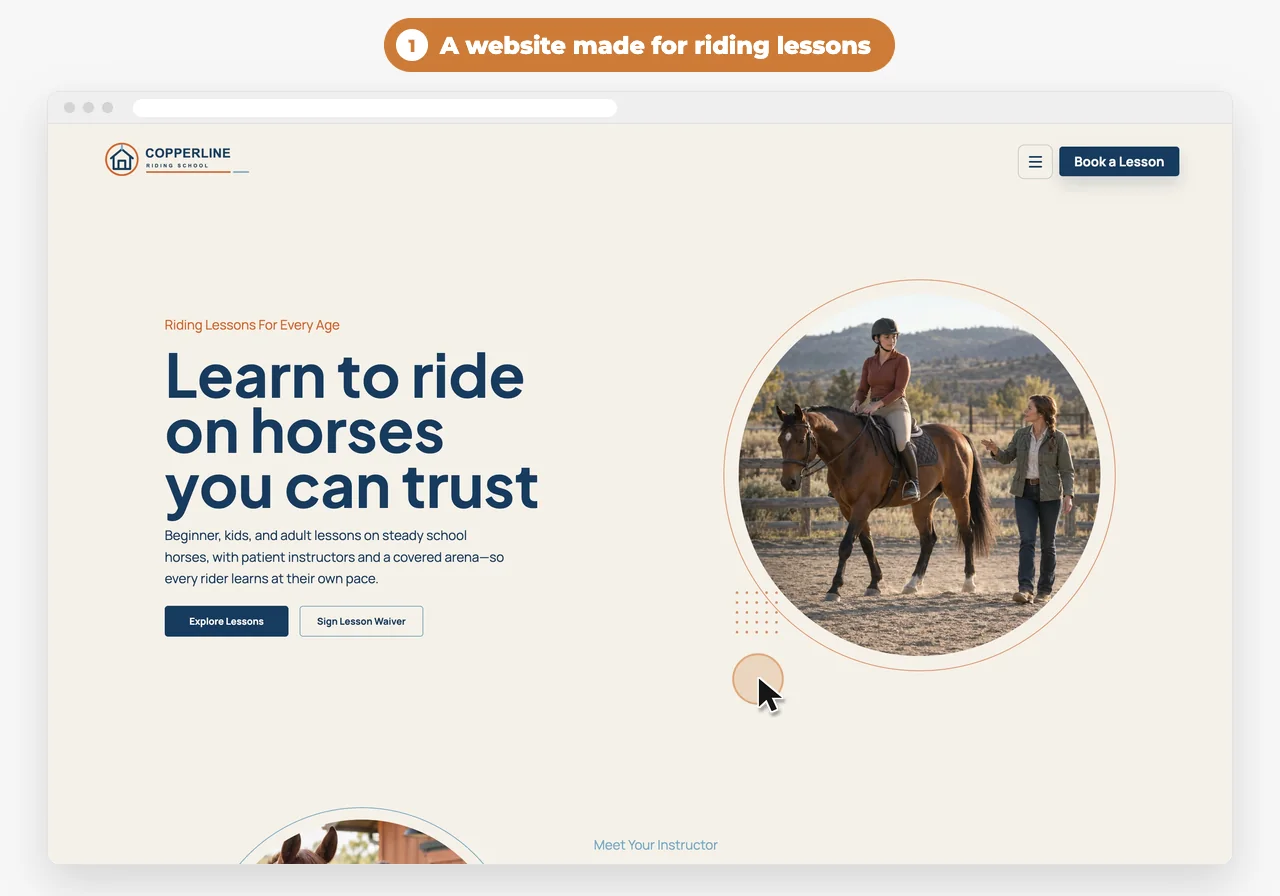
Most riding lessons end with a quick word at the gate. The parent is in the car, the rider is already untacking, and by dinner nobody remembers what you said.
A short report after every lesson fixes that. It tells the family what happened, shows progress over time, and keeps riders practicing between lessons. Here’s what to put in one, whatever you use to send it.
The checklist
0 of 10 in your report
Your ticks stay in this browser, so you can come back to the list.
Why send a report after every lesson?
Short answer
Because the family usually isn’t at the rail, and a quick word at the gate is forgotten by dinner. A short report tells them what happened, shows progress over time, and keeps riders practicing between lessons.
Parents pay for lessons, drive to the barn and often wait in the car. They want to know how it went, and so do adult riders, who forget half of what you said by the time they’ve untacked.
A report doesn’t need to be long. The skills you worked on, a photo or two, a few lines about how it went and what’s next do more than a long email, and they build a record of every lesson you can look back on.
What should it say they worked on?
Short answer
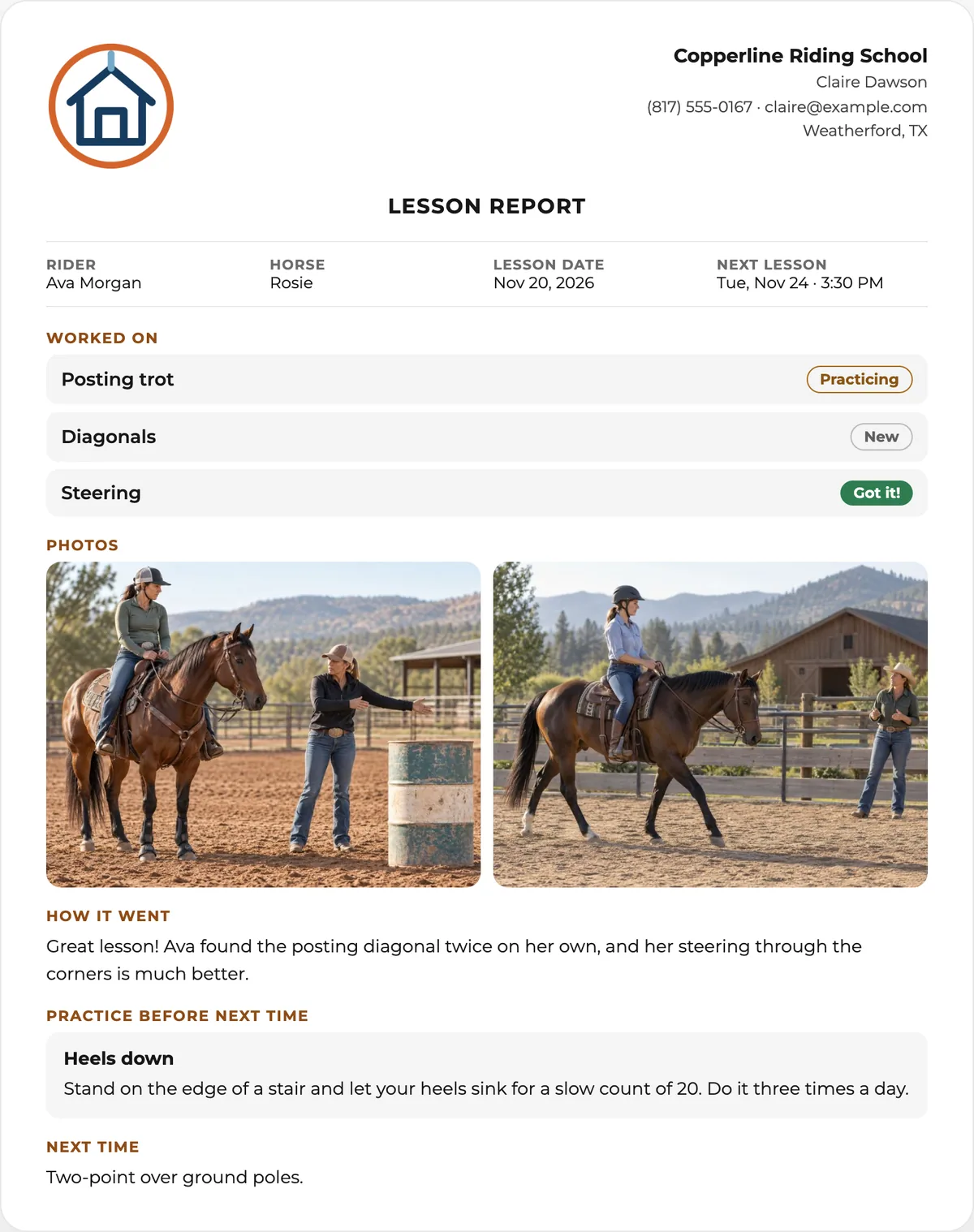
The skills from the lesson, by name: posting trot, diagonals, steering, cross-rails. Use the same names every time, so the family can follow each skill from one report to the next.
A list of skills is easier to read than a paragraph. Keep your own list, named the way you teach, and pick from it after each lesson instead of typing it out.
 With WWC: Your skill list starts with twelve usual ones, from tacking up to cross-rails, and Edit my list changes it right from the report. Tap what you worked on, and each skill goes on the report in the order you picked.
How do you show progress without grades?
Short answer
Mark each skill as New, Practicing or Got it! It’s honest, a child can read it, and over a few weeks the family sees skills move from New to Got it!
Grades and scores make lessons feel like school, and kids compare them. Three plain levels tell the family where things stand without ranking anyone.
With WWC: Every skill you tap starts at Practicing, and one tap switches it to New or Got it! The family’s report shows each skill with its level.
Should you send photos?
Short answer
Yes, when the family is happy to have them. One or two photos from the lesson mean more to a parent than a paragraph, and they show position and progress better than words.
Ask about photos when a rider signs up, the same time you send the waiver. Keep them to the lesson: the rider on the horse, a good moment, a position worth seeing.
Photos should reach the family in the report, not sit on your phone or get lost in a group chat.
With WWC: Add photos from your phone on the report’s Photos step. They go on the family’s report and on their contact record in WWC.
What should “how it went” say?
Short answer
Two or three sentences about this lesson: what went well, what’s getting better and anything to celebrate. Keep notes that are only for you, like how the horse went, out of it.
Write it for the family. “Found the posting diagonal twice without help” means more than “good lesson.”
Keep your own notes where the family never sees them: the horse was stiff going left, try the short crop next time.
With WWC: The Notes step has two boxes: one for the family, which goes on the report, and Just for you, which never does.
What should riders practice at home?
Short answer
One or two small things they can do without a horse, like heels down on a stair or holding two-point on a sturdy ottoman. Short and specific works better than a long list.
Write each practice once, with how to do it, and reuse it. Most riders need the same few things, and a written how-to beats a reminder at the gate.
With WWC: Your Practice list holds your own wording for each practice, written once, and starts with four usual ones you can change. Tap one on the Next time step, and the family gets the how-to in the report.
Should it say what’s next?
Short answer
Yes: what you’ll work on next lesson and when the next lesson is. It gives the rider something to look forward to and cuts down on “when’s our next lesson?” texts.
If the next lesson is already booked, put the day and time. If it isn’t, say roughly when, like in a week.
With WWC: If the next lesson is booked in Scheduling, it’s one tap. Otherwise pick 1 week or 2 weeks, or write your own.
Who should get the report when the rider is a child?
Short answer
The parent or guardian who books and pays, with the child’s name on the report. A parent with two riding kids should get a separate report for each.
Keep the parent as your contact and the kids as riders on that contact. Then every report about a child goes to the right parent without retyping anything.
With WWC: A contact can list riders the way it lists horses. Pick the rider, and the report goes to their parent. An adult who rides is just their own contact.
How should the family get it?
Short answer
From a link they can open on their phone with no login and no app: in an email, or in a text if they’ve agreed to texts.
A report that needs an account or an app to open often doesn’t get opened. A link in an email works for everyone.
With WWC: Email the report when you save it. With Client Texting, you can also text it to families who agreed to texts. It opens from the link with your logo and no login.
What should the software do?
Short answer
Let you write the report on your phone right after the lesson, start from your schedule, use your own lists, and keep what you type if the signal drops.
If writing a report means going home to a computer, it won’t happen after every lesson. Look for software that starts from today’s lessons and fills in the rider, the date and the horse, so a report fits between lessons.
With WWC: Today’s lessons come from Scheduling, each with a Write report button that fills in the rider, the date and the horse. What you type is kept on your phone as you go and saves when you’re back in range. Adding photos and sending need signal.
Questions riding instructors ask
Is the WWC Riding Lessons App free?
Yes. It’s a free add-on for riding instructors and lesson barns on WWC. All of WWC is $39.99/month, one price for everyone.1
How long should a lesson report be?
Short. A few skills, a photo or two, two or three sentences about how it went, and what’s next. Families read short reports.
Does the family need an account?
No. They open the report from the link in their email or text. There’s no login and nothing to download.
What about group lessons?
Write one report for each rider, so each family gets their own.
Does it work on a tablet or computer too?
Yes. It opens in the browser on your phone, tablet or computer.
 Written by the Western Web Co. team. We’re family owned and build WWC in Cave Creek, Arizona.