
A quick word at the gate
A report they can keep
What they worked on, each skill marked New, Practicing or Got it!, so the family sees progress lesson by lesson.
WWC Apps
A free add-on for riding instructors and lesson barns. After each lesson, send the family a report from your phone: what the rider worked on and how it’s coming along, your photos from the lesson, how it went, and what’s next time.
 Free with your WWC account. Written from your phone, right after the lesson.
What they worked on Photos from the lesson
 What’s next time
 Sent by email or text
Why we built it
A quick word at the gate is forgotten by dinner, and the photos you took stay on your phone. A lesson report gives the rider and their family something to keep, and gives you a record of every lesson.
A quick word at the gate
What they worked on, each skill marked New, Practicing or Got it!, so the family sees progress lesson by lesson.
Photos stuck on your phone
Add the photos you took during the lesson. They go on the report and on the family’s contact record.
“What should we practice?”
What to practice before the next lesson, what you’ll work on next, and when the next lesson is, straight from your schedule.
What the family gets
The family opens it from a link in an email, or in a text with Client Texting. No login and nothing to download.
Every part of the report

Every rider across your contacts. A parent’s kids are riders on the parent’s contact, so their report goes to the parent.

Any horse in your barn, your lesson horses included. The horse they rode last time is already picked.
Tap the skills from your own list, then mark each one New, Practicing or Got it!
Take them during the lesson, or choose them from your phone afterward.

How it went, for the family. Just for you, for the things only you need to know.
Your Practice list, what’s next, and the next lesson, one tap if it’s already booked in Scheduling.
Your day
Part of WWC

Riders, parents and horses come from your contacts, and lesson photos land on the family’s contact record.
See Customer Management
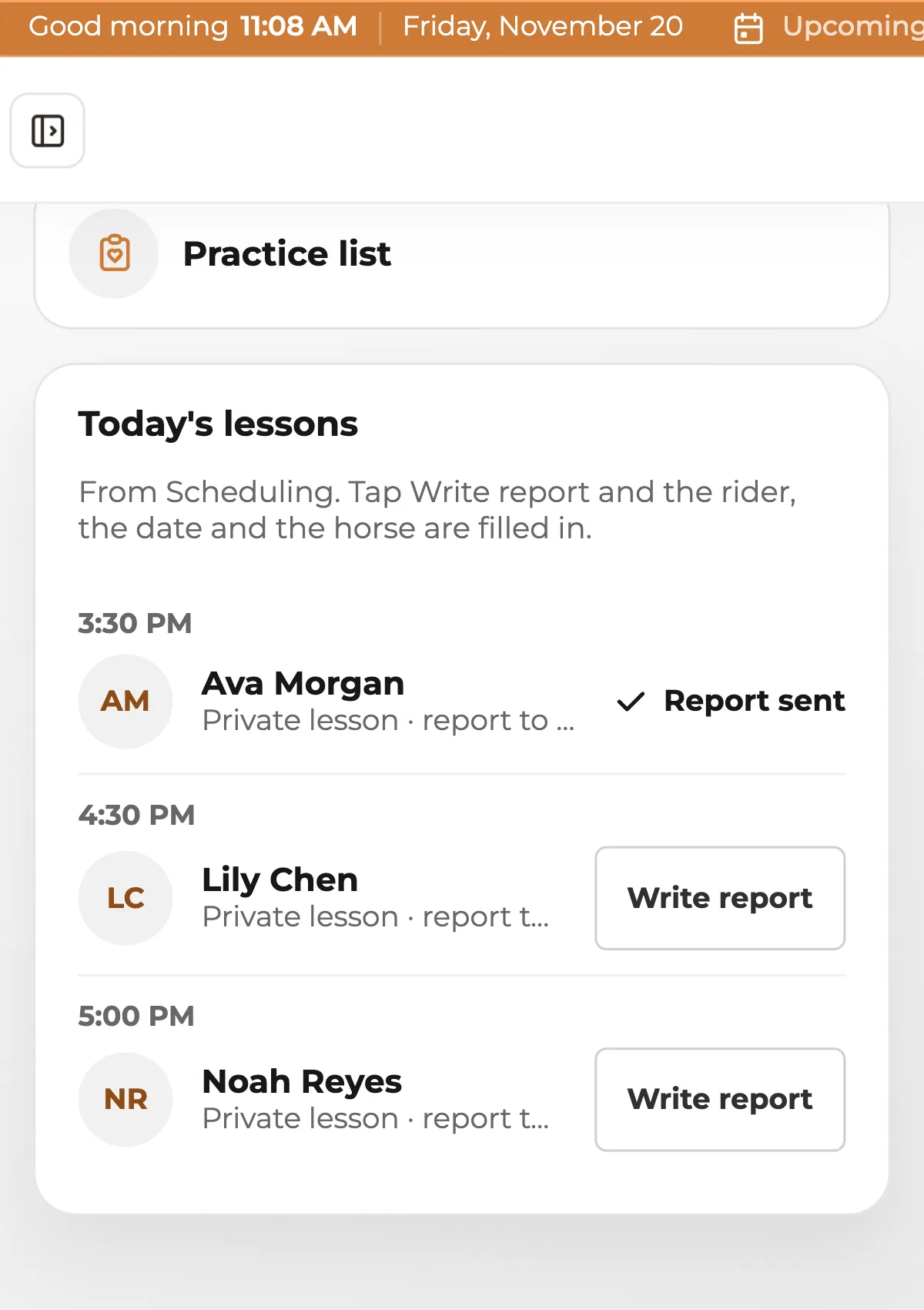
Today’s lessons and the next lesson on each report come straight from your schedule.
See Scheduling
Show your lessons and prices, and let families book a first lesson and sign the waiver online.
See websites for riding lessonsWWC Apps
WWC Apps are tools made for horse work. Riding Lessons, Boarding Barn, Equine Bodywork, Equine Chiropractic, Equine Body Clipping and Care Team are out now. More are in development, and they’ll all live in one place when they’re ready.


Common questions
Nothing extra. It’s a free add-on for riding instructors and lesson barns on WWC. All of WWC is $39.99/month, one price for everyone, and that covers your website, booking, documents, online payments, and customer and horse records.
The parent. A parent’s contact can list their kids as riders, and each child’s report goes to the parent. An adult who rides is their own contact, so their report goes to them.
No. Riders and horses come from your contacts in WWC. Add a new rider, or one of your lesson horses, right from the report as you go.
Yes. Your skill list starts with twelve usual ones, from tacking up to cross-rails. Tap Edit my list to rename, add or remove them. Your Practice list works the same way, in your own words.
Turn on Email the report when you save it, and the family gets an email with a link to it, with your logo and no login. With Client Texting ($25 to set up, then $5 a month), you can also text it to families who agreed to texts.
What you type is kept on your phone as you go, so a dropped signal loses nothing, and it saves when you’re back in range. Adding photos and sending the report need signal.
Only you, until you send it. The family sees it from their link. Your notes under Just for you never go on it, and lesson reports are never shared with a care team.
Write one report for each rider in the group. Each family gets their own report, about their own rider.