
Built for a desk
Works in the barn aisle
Lose signal by the back stalls? Keep going. Your changes are kept on your phone and save on their own when you’re back in range.
WWC Apps
A free add-on for boarding barns. See whose board is paid at a glance, lay out your stalls the way your barn really is, text the feed list to whoever is feeding, and keep the vet and farrier on one barn schedule.
 Free with your WWC account. Made for the barn, not an office.
 Who’s paid, at a glance
 Your barn’s own map
 Feed list texted to staff
 Works with no signal
Why we built it
Most boarding software forgets where you work. It wants you at a desk, it stops when the signal drops, and it makes you run your barn its way. We built this one to work the way you already do.
Built for a desk
Lose signal by the back stalls? Keep going. Your changes are kept on your phone and save on their own when you’re back in range.
Makes you change how you work
Your stalls where they really are, your own feeds, and each horse’s own board and due day. The app fits your barn, not the other way around.
Board you have to chase
Every horse gets a card with a ring that fills through its billing month: green when paid, amber when it’s due soon, red when it’s late.
On your phone
Every barn has a dead spot. When your phone loses signal, the app keeps working and tells you what’s waiting. When you’re back in range, it saves on its own.
Every part of your barn
A card for every horse, its photo in a ring that fills through its billing month. Late horses come first. Send a pay link, or mark a check or cash paid.
Your stalls, aisles, tack room, feed room and wash stall on a map you drag into place. Tap an empty stall to put a horse in it.

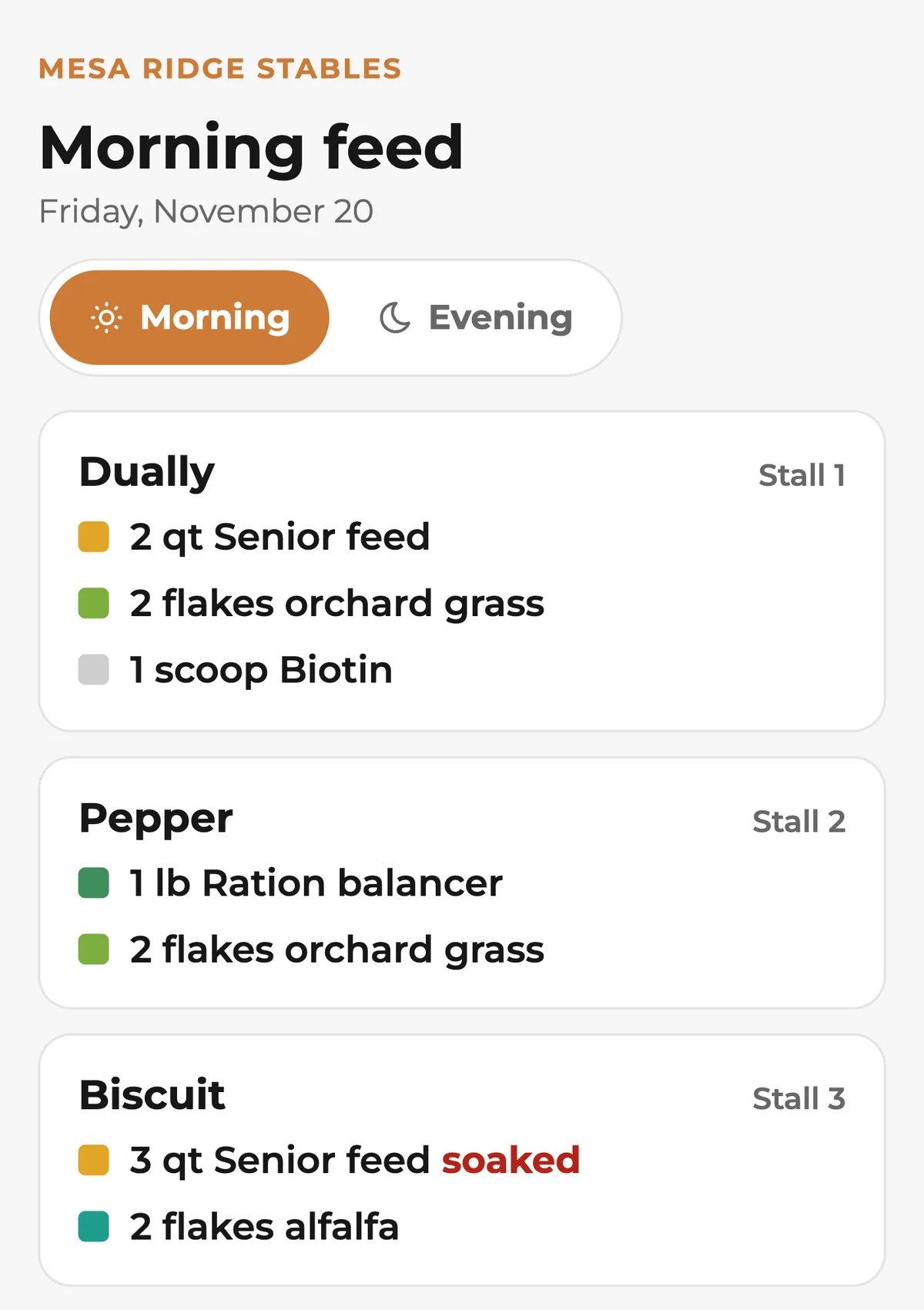
Morning and evening, in stall order, from each horse’s diet: grain, hay, supplements and meds, with amounts and notes like soaked.

Vet, farrier, bodywork, chiro and dentist visits, a week at a time. Each owner can get an email about their own horses.

Board, owner, breed, Coggins date, diet, notes and files like photos and PDFs, all on one page.

The vet, farrier and others who look after each horse, with their phone numbers, right on the horse’s page.
What your staff gets
Part of WWC

Boarders and their horses come from your contacts. A horse’s notes and files are the same ones Contacts shows.
See Customer Management
Board pay links run on your own Stripe or Square account, and WWC never takes a cut.
See Online Payments
Show open stalls and board rates, and let horse owners book a barn tour from your website.
See websites for boarding barnsWWC Apps
WWC Apps are tools made for horse work. Boarding Barn, Equine Bodywork, Equine Chiropractic, Equine Body Clipping and Care Team are out now. More are in development, and they’ll all live in one place when they’re ready.


Common questions
Nothing extra. It’s a free add-on for boarding barns on WWC. All of WWC is $39.99/month, one price for everyone, and that covers your website, booking, documents, online payments, and customer and horse records.
No. Your boarders and their horses come from your contacts in WWC. Every horse there gets a card on the board.
Yes. Set each horse’s monthly board and the day it’s due. The 31st means the last day of shorter months.
Send a pay link by email. It runs on your own Stripe or Square account, and the month marks itself paid when the owner pays. Took a check or cash? Tap Mark paid. A month is never paid twice, and WWC never takes a cut.
Add each person who feeds once they agree to the texts, then pick who gets the morning list and who gets the evening one, and when. Each gets one text a meal with a link to the newest list, with no login and no app. Feed list texts use Client Texting ($25 to set up, then $5 a month) and start once the phone carriers approve them.
Keep going. Your board, stalls, feed list and horses stay on screen from the copy on your phone. Changes like diets, notes, stalls and visits are kept on your phone and save on their own when you’re back in range. Pay links and marking board paid wait for signal.
No. A new barn starts with twelve stalls along an aisle, a feed room and a tack room. Drag stalls, aisles and rooms to where they really are, and drop one stall on another to swap them, horses and all.
Your staff’s feed list link shows only horse names, stalls and meals, never an owner, a phone number or a bill. A visit email names only that owner’s horses.