
Notes in five places
Every report in one list
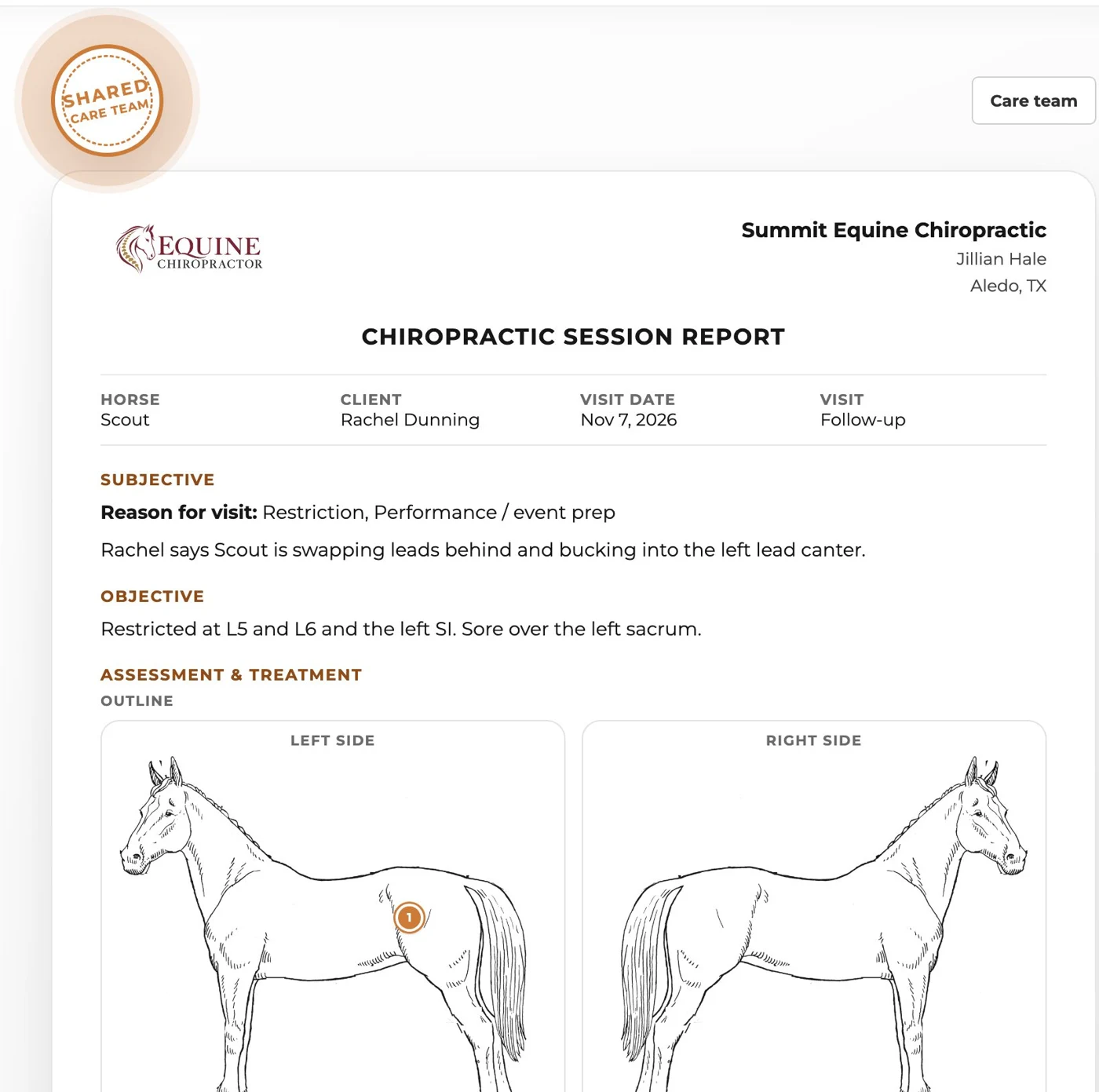
Your teammates’ session reports land in one list, newest first, with the spots they marked and the plan they gave.
WWC Apps
For the bodyworker, chiropractor, trainer and barn who care for the same horses. Share your session reports, talk on one board, and everyone on the team pays less for WWC.
 Free with your WWC account. Grow your care team and everyone on it gets up to 25% off WWC.
 Shared session reports
 One board for the team
 Up to 25% off WWCOwners can stop sharing
The team discount
Every member gets the discount on their own WWC account, from their next bill. A team is 2 or more members, with no upper limit.
Why we built it
Everyone who works on a horse sees a different part of it. Until now, what they found lived in their own notes and a few text threads.
Notes in five places
Your teammates’ session reports land in one list, newest first, with the spots they marked and the plan they gave.
Buried in group texts
Post a note or a photo for everyone who works on the horse. “Keep him off hills this week” reaches the trainer before the next ride.
Everyone paying full price
Every member of the team gets a lower WWC price, and it goes down as the team grows: 15%, then 20%, then 25% off.
On your phone
The board works on any phone, right from your WWC account. Nothing to download.
How it works
Invite one member by email. Your team starts when they join. Anyone on WWC can start one.

The farrier, the vet, the trainer. Someone who isn’t on WWC yet gets a link to sign up.
You pick which session reports the team sees. A report stays private until you share it.

Rest days, turnout, what you noticed today. Everyone who works on the horse sees it.
The discount goes on each member’s own WWC bill, and grows with the team.
Your shared reports leave with you, and everyone’s discount updates on the next bill. A team needs 2 members.
Horse owners
Part of WWC
The session reports you already write are the ones your team sees.
See the Bodywork App
Your clients and their horses stay in your own contacts, private to you.
See Customer Management
WWC Apps
WWC Apps are tools for horse work, free with your WWC account. More are in development, and they’ll all live in one place when they’re ready.

Common questions
Nothing extra. It’s a free add-on on WWC, and being on a care team lowers what everyone on it pays: 15% off with 2 members, 20% with 3 and 25% with 4 or more.
Two or more, with no upper limit. You start a team by inviting a member, and it starts when they join. The discount tops out at 25% with 4 or more members.
No. Each member is on one team. If you accept an invite from another team, you move to that team.
Yes. Everyone on a care team has a WWC account, and that’s who gets the discount. When you invite someone who isn’t on WWC yet, the invite takes them to sign up.
Your business name, logo, trade and state, and your business email, phone and website, the same details on your session reports. Never your clients’ contact details.
Only the session reports you pick. Each report has a Share with my care team switch, off until you turn it on, and Choose reports picks several at once. Your clients’ contact details and files are never shared.
Yes. The report email tells the owner it’s shared with the horse’s care team, and one tap on the link stops sharing your reports on that horse. You get an email when that happens.
They stop seeing the team’s reports and board, and the reports they shared leave with them. Everyone’s discount updates on their next bill. A team needs at least 2 members, so a team of 2 ends when one leaves.