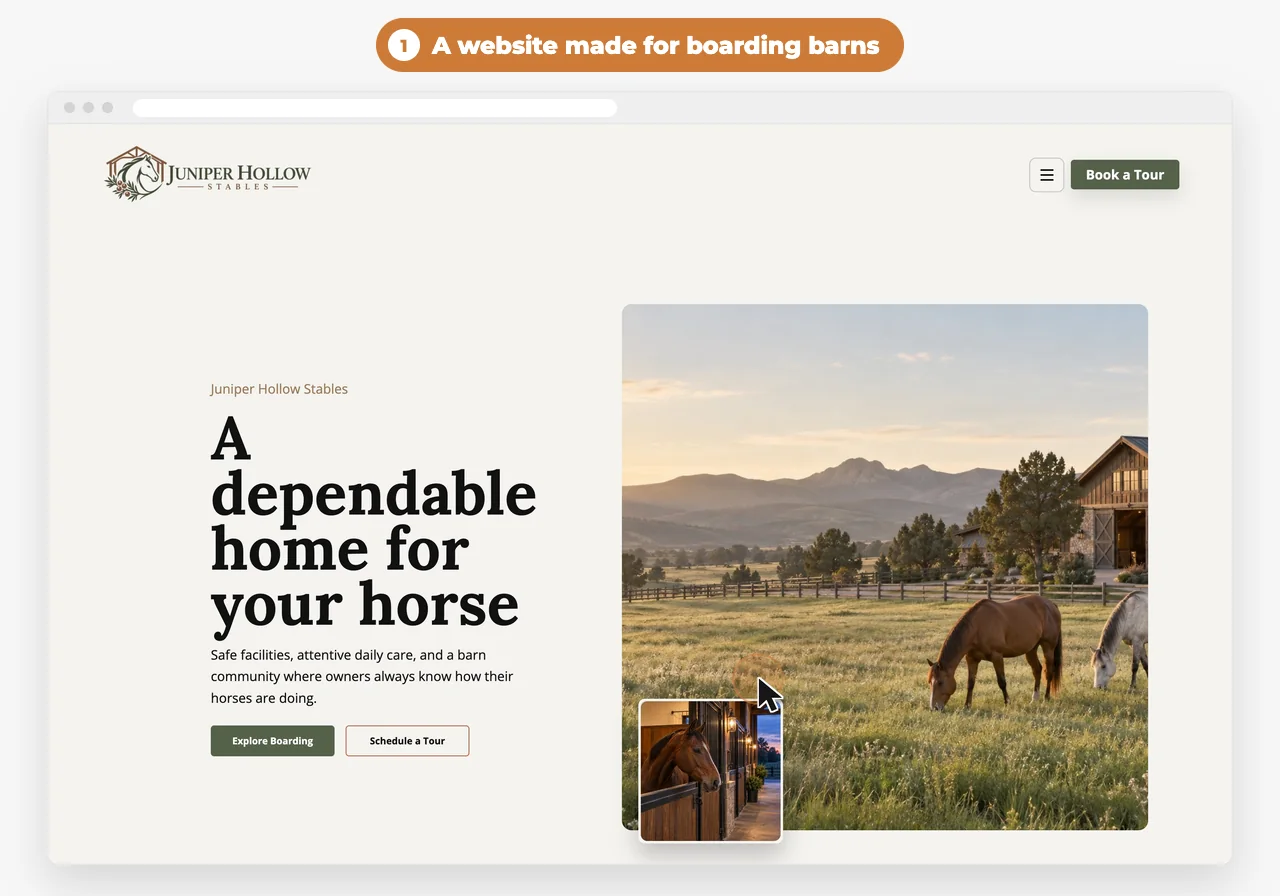
A boarding barn runs on routines. Horses get fed at the same times every day, board comes due every month, and the vet and farrier come through on their own schedules. Most of that happens in the barn aisle, not at a desk.
A lot of boarding software forgets that. It wants you at a computer, it stops working when the signal drops, and it makes you run your barn its way. We built the WWC Boarding Barn App to work the way barns already do. Here’s what to look for in any software before you switch.
The checklist
0 of 12 in your software
Your ticks stay in this browser, so you can come back to the list.
Why doesn’t office software fit a boarding barn?
Short answer
Because a barn isn’t run from a desk. You feed in the aisle, check a horse in its stall and talk to the farrier at the cross ties. Software that only works at a computer, or only with good signal, leaves you writing things on a whiteboard and typing them in later.
When software doesn’t fit, the barn works around it. The feed chart lives on a whiteboard, board lives in a notebook, and the vet’s visit lives in a text thread. Then someone has to keep them all matched.
The test for any barn software is simple: can you use it standing in the aisle with a halter in one hand, and does it let you run your barn the way you already do? If either answer is no, keep looking.
How should it track board?
Short answer
Horse by horse, with each horse’s own monthly rate and due day, so you can see in one look who’s paid, who’s due soon and who’s late.
Not every boarder pays on the 1st. Some moved in mid-month, some pay for two horses, and some pay by check when they come out on Saturday. Good software lets each horse have its own due day instead of making everyone fit one.
Owners should be able to pay from a link in an email, and you should be able to mark a check or cash paid without a second system. Watch out for software that takes a cut of every board payment.
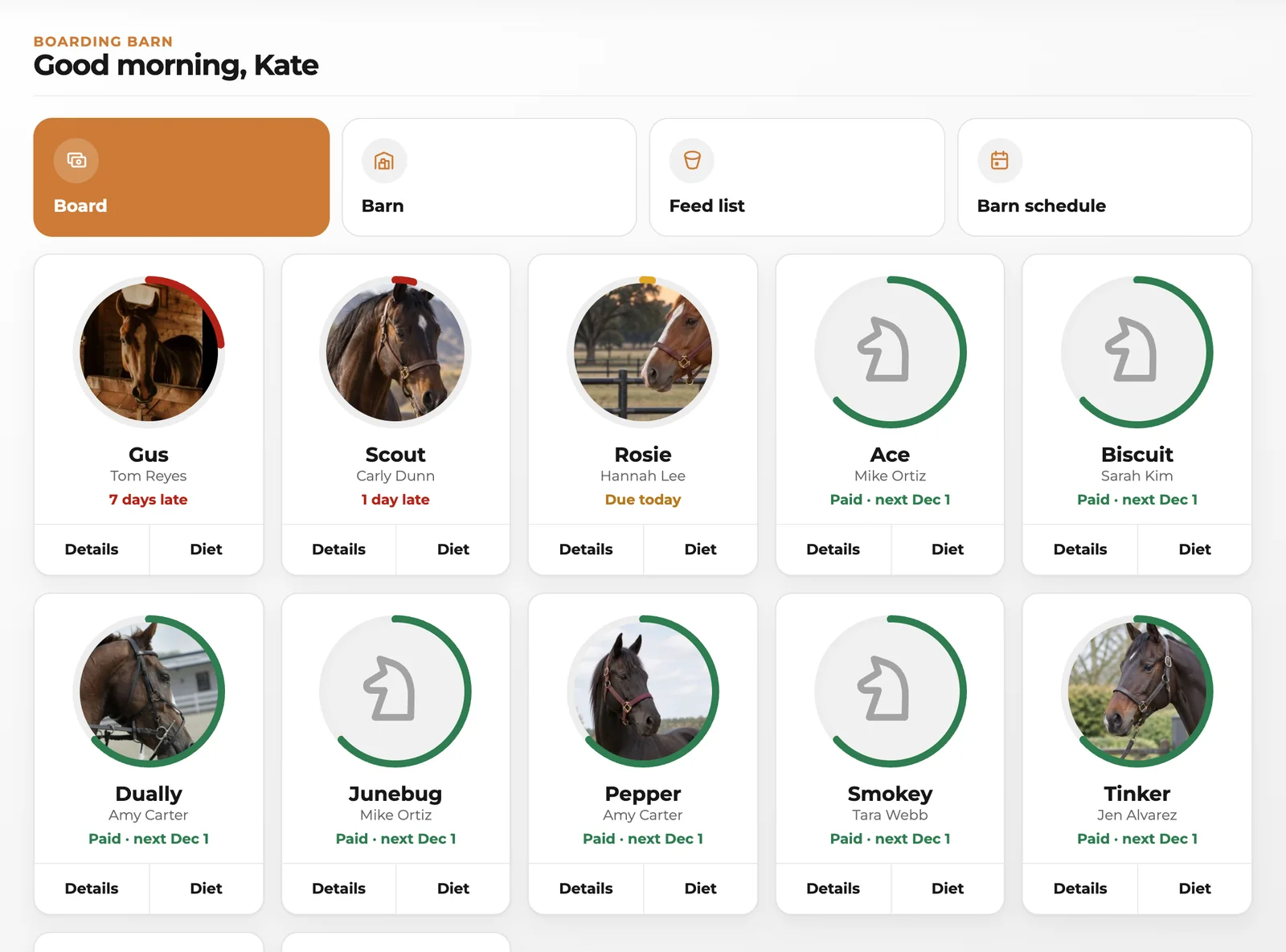
 With WWC: Every horse gets a card on the board with a ring that fills through its billing month: green when paid, amber when it’s due soon, red when it’s late, with late horses first. Send a pay link that runs on your own online payments account, or tap Mark paid for a check or cash. WWC never takes a cut.
Why does a stall map matter?
Short answer
Because everyone in your barn thinks in stalls. A map laid out like your barn shows who’s where at a glance, and it’s the order your staff feed in.
Barns aren’t built in neat rows. You might have stalls on both sides of an aisle, a wash stall at one end and a tack room in the middle. A map you can drag into the shape of your barn is easier to read than a list.
When a horse moves stalls, the map should move with it, and the feed list should follow.
With WWC: A new barn starts with twelve stalls along an aisle, a feed room and a tack room. Drag stalls, aisles and rooms to where they really are, drop one stall on another to swap them, horses and all, and tap an empty stall to put a horse in it.
What should a feed list include?
Short answer
Every horse in stall order, with what it eats at each meal: grain, hay, supplements and meds, with amounts and notes like soaked or until a date.
Whoever is feeding needs the list, not the whole office. Horse names, stalls and the meal are enough. Owners’ phone numbers and board amounts don’t belong on the feed room wall.
Meds with an end date, like a short course of bute, should say when they stop, so nobody keeps giving them after.
With WWC: The Feed list shows morning and evening in stall order, built from each horse’s diet. Meds stand out, and a note like “until Nov 24” rides along with the feed.
How should staff get the feed list?
Short answer
On their own phone, at feeding time, without making an account. A text with a link to the newest list works for anyone who can open a text.
Staff change, and not everyone wants another app. A link they open from a text, showing only what feeding needs, is the least you can ask of them.
Only text staff who agreed to the texts, and make sure they can stop them by replying STOP.
With WWC: Add each person who feeds once they agree, then pick who gets the morning list and who gets the evening one, and when. Each gets one text a meal from your barn’s own texting number, with a link to the newest list. Feed list texts use Client Texting and start once the phone carriers approve them.
What about the vet, farrier and other visits?
Short answer
Keep them on one barn schedule, a week at a time, with the horses each visit is for. Owners should hear about visits for their own horses, and only their own.
The farrier might do six horses on Tuesday, the vet comes for one on Friday, and the dentist does most of the barn in one day. When those visits live in separate text threads, someone forgets to bring a horse in.
With WWC: The Barn schedule shows vet, farrier, bodywork, chiropractor, massage and dentist visits a week at a time. Schedule a visit, pick the horses, and each owner can get an email with the day and time for their own horses.
What should be on each horse’s page?
Short answer
Everything you’d want to know standing at the stall: the owner, the board, breed and color, the Coggins date, the diet, notes, the care team and files like photos and PDFs.
Coggins dates come up, notes change, and the farrier’s number gets lost. One page per horse, with the owner’s details pulled from your client list, saves a lot of digging.
With WWC: Each horse’s page has Overview, Diet, Notes, Care team and Files. Horses, owners, notes and files are the same ones in your WWC contacts, so nothing is typed twice.
Does it need to work without signal?
Short answer
Yes. Plenty of barns have a dead spot. Software should keep your changes on your phone and save them when you’re back in range, without losing anything or writing over someone else’s work.
Ask what happens if you lose signal halfway down the aisle. If your change disappears, or the app won’t let you do anything, it wasn’t built for a barn.
Ask what happens if two people change the same horse, too. A change made with no signal shouldn’t quietly write over a newer one made in the office.
With WWC: The board, the stalls, the feed list and every horse’s page stay on screen from the copy on your phone. Diets, notes, stalls, the map, feeding times and visits are kept on your phone and save on their own when you’re back in range. If someone changed the same thing on another device, theirs is kept and the app tells you. Pay links and marking board paid wait for signal.
Should it connect to the rest of your business?
Short answer
Yes. Your boarders, their horses, your website and your payments should all be in one place, so you’re not keeping the same list in three apps.
When a new boarder books a barn tour on your website and signs your boarding agreement online, they should already be in your client list when their horse moves in.
With WWC: Boarders and horses come from your WWC contacts, pay links run on your own payment account, and your website can show open stalls and let horse owners book a barn tour.
Questions barn owners ask
Is the WWC Boarding Barn App free?
Yes. It’s a free add-on for boarding barns on WWC. All of WWC is $39.99/month, one price for everyone.1
Does it work on a tablet or computer too?
Yes. It opens in the browser on your phone, tablet or computer, so you can check board in the office and the feed list in the aisle.
Do I have to enter my horses again?
No. Your boarders and their horses come from your contacts in WWC. Every horse there gets a card on the board.
Do my staff need an account?
No. They open the feed list from the link in their text. There’s no login and nothing to download.
Who can see what?
Your staff’s feed list shows only horse names, stalls and meals. A visit email names only that owner’s horses. Everything else stays in your WWC account.
 Written by the Western Web Co. team. We’re family owned and build WWC in Cave Creek, Arizona.