
Too slow
A report in a few taps
Tap the reason for the visit, tap the spots you worked, tap your usual aftercare. Type only what’s new about this horse.
WWC Apps
A free add-on for equine chiropractors. Write each session report at the barn in a few taps, mark where you worked on the horse, and send the owner a clean report with your logo.
 Free with your WWC account. Built alongside equine chiropractors who’d used other software and knew where it fell short.
 Mark where you workedYour aftercare in one tap
 Reports with your logo
 Saves with no signal
Why we built it
We built it alongside equine chiropractors who’d used other software. They kept running into the same three problems.
Too slow
Tap the reason for the visit, tap the spots you worked, tap your usual aftercare. Type only what’s new about this horse.
Buggy, lost work
Every change is kept on your phone the moment you make it, then saved to your account. Close the app mid-report and pick up where you left off.
Not made for the barn
No signal at the barn? Keep writing. The report syncs on its own when you’re back in range, and nothing is lost.
On your phone
Five pictures of the horse, and you can mark on any of them. Only the ones you mark go on the report.
Every report

Pick them from your clients, or add a new one right there. Each horse shows the date of its last report.
Tap the reason for the visit, then note what the owner told you and what you saw.
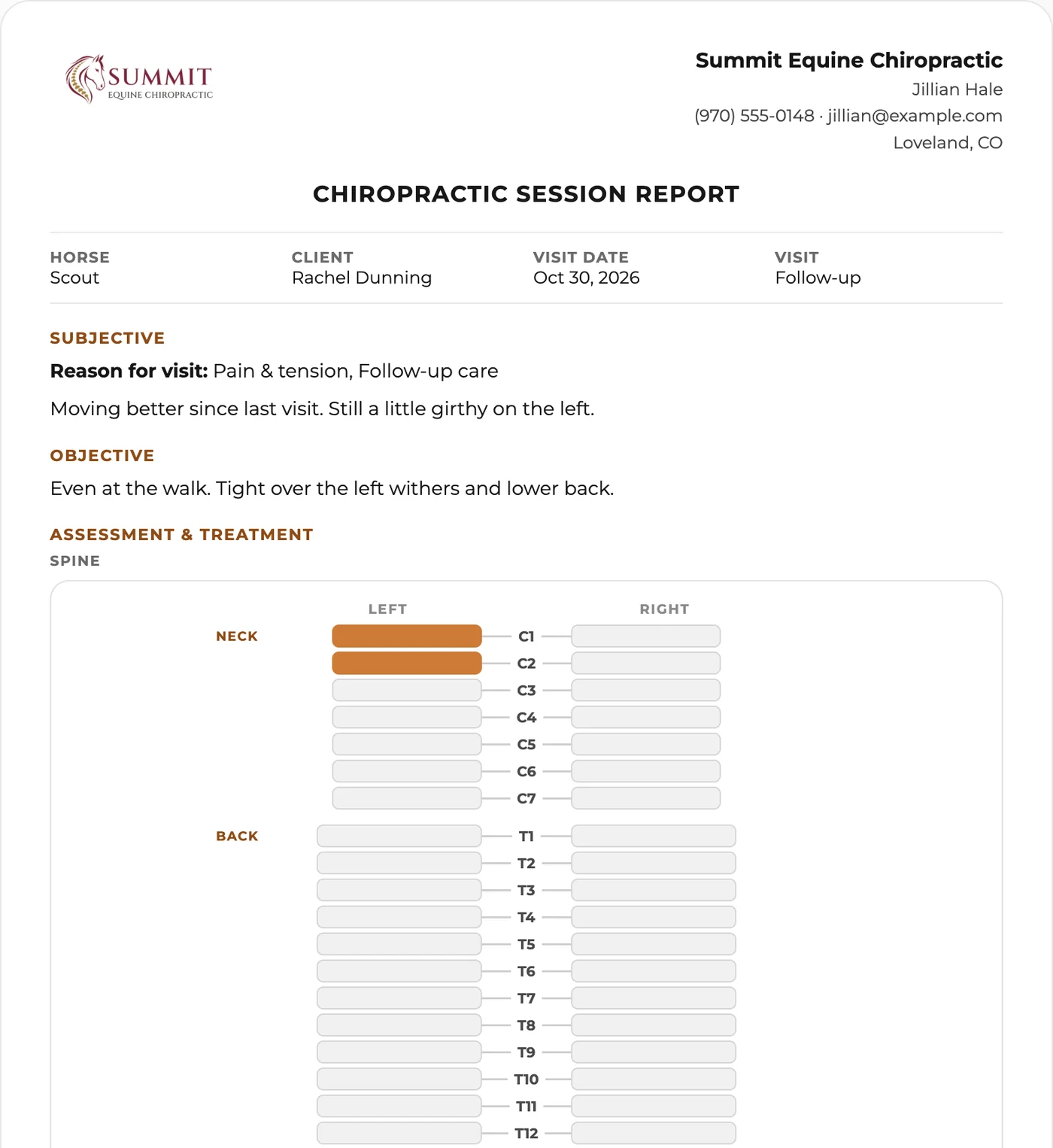
Mark where you worked on the horse and add your findings.
Tap your aftercare, write the plan, and pick the next visit: 1, 2, 4 or 6 weeks, or your own words.

Add photos or a PDF. They’re kept on the client’s record too.

Check it over, save it to the horse’s history, and email it to the owner if you want to.
What the owner gets
Part of WWC
Clients and their horses come from your contacts. Every report lands on the horse’s history.
See Customer Management
Owners book adjustments and send intake forms from your website.
See websites for chiropractorsWWC Apps
WWC Apps are tools made for one kind of horse work. Equine Chiropractic, Equine Bodywork and Equine Body Clipping are out now. More are in development, and they’ll all live in one place when they’re ready.


Common questions
Nothing extra. It’s a free add-on for equine chiropractors on WWC. All of WWC is $39.99/month, one price for everyone, and that covers your website, booking, documents, online payments, and customer and horse records.
The Chiropractic App has everything in the Bodywork App, plus two more pictures for marking: Spine, with each vertebra from the neck to the pelvis, and Skeleton, with the joints and the spine on a full skeleton.
No. They open it from the link in your email. There’s no login and nothing to download.
Keep writing. Everything is kept on your phone as you type, and the report syncs on its own when you’re back in range.
Yes. Today’s date is filled in, and you can change it.
Yes. Add the client or the horse right from the report, and they’re saved in your contacts.
Only you, unless you send one. A sent report opens only from its own link.